

Three small devices let your lights switch themselves on and off with no hand on the switch: a photocell, a motion sensor, and a timer. People mix them up all the time and end up with the wrong one for the job, lights coming on at noon, or a security light that fires every time a cat strolls past. Here is what each one actually does, when to reach for which, and which of them hold up through our outages.
The photocell: light in, decision out
A photocell, the heart of a dusk-to-dawn light, is a little sensor that reacts to how much light is around it. When the daylight fades below a set level it switches the light on, and when morning comes it switches it off. There is no clock to set and nothing to adjust through the year. Because it responds to the actual light around it, it follows the seasons on its own, ignores daylight-saving changes, and even brings the light on early on a dark, stormy afternoon.
That makes the photocell the natural choice for steady, all-night lighting, an entrance, a carport, the dark side of a house. The one thing to get right is where it sits: it needs a clear view of the natural sky, not the glow of its own bulb or a nearby streetlight, or it will switch on and off at the wrong moments.
The motion sensor: movement is the trigger
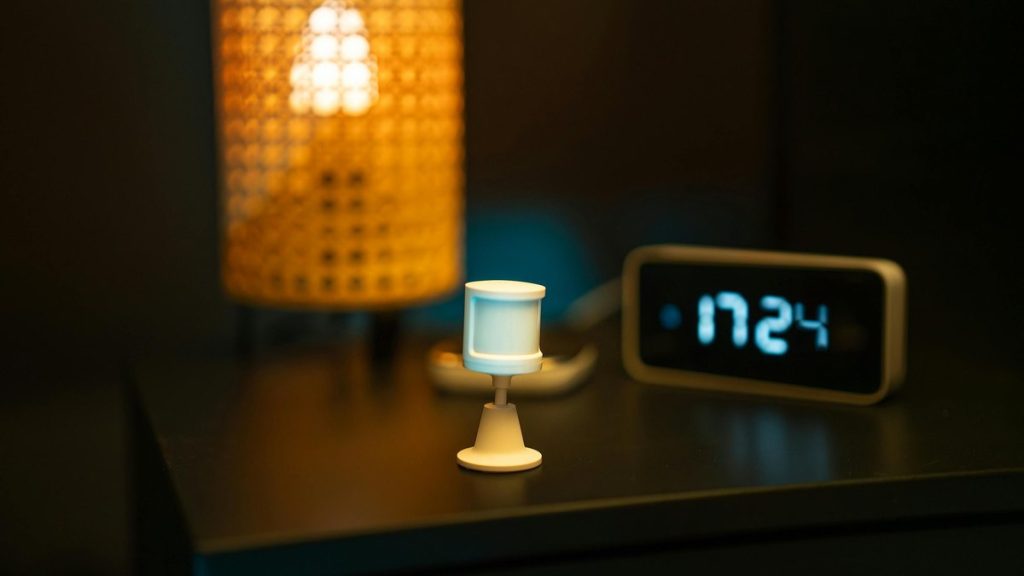
A motion sensor keeps the light off until something moves nearby, then switches it on for a set time and off again afterward. The common type for homes is the passive infrared, or PIR, sensor, which detects the heat that a person or animal gives off as they move across its view. You can read how that works on the Wikipedia passive infrared sensor page. Other types actively send out a signal and watch for the reflection to change.
Most motion sensors let you adjust two things: the sensitivity, so a person sets it off but a small animal or a blowing leaf does not, and the time delay, how long the light stays on after the last movement. Many also have a built-in photocell so they only trigger after dark. This is the classic security control, perfect for driveways and entrances, where the light snaps on as someone approaches, deters a prowler, and otherwise stays off to save energy. Indoors, the same idea becomes an occupancy sensor that turns lights off in an empty room, which quietly trims a power bill.
The timer: the clock decides
A timer switches lights on and off at set times of day. The simplest is a mechanical dial, then there are digital timers, and the smartest is an astronomic timer that tracks local sunrise and sunset and adjusts itself through the year. Timers are great for predictable schedules, like a sign or pathway lighting on a fixed evening routine, and for making an empty house look lived-in while you are away by switching lights on in the evening.
The weakness of a plain timer is that it knows the clock but not the world: it cannot tell a dark, overcast day from a bright one, and a basic timer needs resetting for the seasons. A smart timer or smart plug adds app and voice control and usually keeps its schedule more reliably.
Putting them together
The real power is in combining them. The most common pairing is a photocell with a motion sensor: the light stays off in daylight, holds a low, steady glow once it is dark, and jumps to full brightness when something moves. That covers both everyday safety and security in one fitting. A timer paired with a photocell can run lights on a schedule but only after dark. And indoors, occupancy sensors on their own are one of the easiest ways to stop paying to light empty rooms.
The outage factor, which matters here
This is where the choice really bites here. Every time the power drops and comes back, a mechanical timer and plenty of simple digital clocks lose their place and need resetting, so they drift out of step and start running your lights at the wrong times. A photocell does not care. It has no schedule to lose, so after an outage it just reads the light and carries on, and a motion sensor recovers the same way. For reliable hands-off lighting here, that makes photocells and motion sensors the easy winners. If you do want a timer, choose an astronomic or battery-backed one that keeps time through a cut. It also helps that motion and photocell controls only run the light when it is actually needed, which counts for something when power is this expensive.
One more point: any of these used outdoors has to be properly weather-rated and sealed to last, which is the same lesson as choosing outdoor and security lighting that lasts.
Which should you use
A quick way to choose: for a driveway or entrance where security and surprise matter, use a motion sensor, ideally with a built-in photocell. For perimeter or safety lighting you want on all night, use a photocell. For lights on a set routine, or to make a house look occupied while you travel, use a timer, preferably astronomic or smart. And to stop lighting empty rooms indoors, fit occupancy sensors.
The takeaway
A photocell switches on the dark, a motion sensor switches on movement, and a timer switches on the clock. Match the trigger to the job: motion for security, photocell for steady night lighting, timer for schedules. Combine a photocell and motion sensor for the best outdoor security, and use occupancy sensors indoors to cut waste. And remember that here, where the power comes and goes, photocells and motion sensors keep working without a reset while plain timers do not, so they are usually the smarter pick.
Related reading
- Choosing outdoor and security lighting that lasts for the fixtures these controls go into.
- How to choose LED bulbs for a Jamaican home for picking bulbs that suit sensors and dimmers.
- LED vs CFL vs incandescent: what to buy now for the light source behind it all.
- Lighting installation to fit sensors, timers, and the lighting they control.
What is the difference between a photocell and a motion sensor?
A photocell reacts to light level, switching a light on at dusk and off at dawn for steady all-night lighting. A motion sensor reacts to movement, switching the light on only when something moves nearby and off again after a set time. Photocells suit perimeter lighting; motion sensors suit security and energy saving.
How does a PIR motion sensor work?
A passive infrared (PIR) sensor detects the heat that a person or animal gives off as they move across its field of view, and switches the light on when it senses that movement. Most let you adjust the sensitivity and how long the light stays on, and many include a built-in photocell so they only trigger after dark.
What is the downside of a timer for lights?
A plain timer knows the clock but not the conditions, so it cannot react to a dark, overcast day, and a basic one needs resetting through the seasons. It also loses its schedule in a power outage unless it is battery-backed. An astronomic timer that tracks sunrise and sunset, or a smart timer, avoids most of this.
Which light control is best after a power outage?
Photocells and motion sensors, because they have no clock to lose. After the power returns, a photocell simply reads the light and carries on, and a motion sensor recovers the same way. A mechanical or simple digital timer loses its place and runs lights at the wrong times until it is reset.
Can I combine a photocell and a motion sensor?
Yes, and it is a common and effective setup. The light stays off in daylight, holds a low steady glow once it is dark, and jumps to full brightness when something moves. That gives you both everyday safety lighting and security from a single fitting.
What is an occupancy sensor?
It is a motion sensor used indoors to turn lights off when a room is empty, and often on when someone enters. It is one of the simplest ways to stop paying to light unused rooms, which is worth doing where electricity is expensive.
The next step
Want lights that come on when they should, save power, and survive the next outage? Get a free quote or message us, and we will fit the right sensors, timers, and controls for how you actually use your home.